Mp3Juice Review: A First-Timer's Checklist for Finding and Saving an MP3
If I want one particular recording to listen to offline, the Mp3Juice page covered here is worth considering. Its appeal is its narrow purpose: find a…
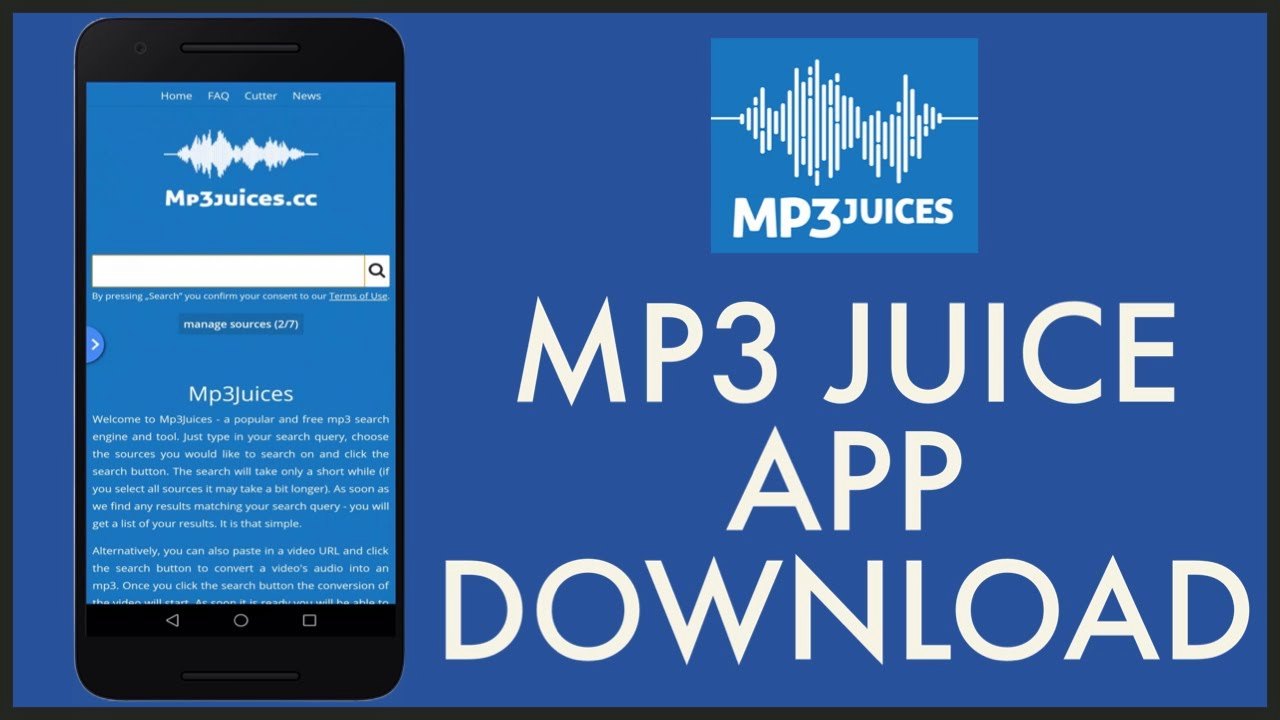
If I want one particular recording to listen to offline, the Mp3Juice page covered here is worth considering. Its appeal is its narrow purpose: find a recording and save a file. Before I click a download button, though, I check that I'm on the right site, that I have permission to keep the recording and that I've selected the format I want.
My question for this review is how much a first-timer needs to know to get a good file. I look for clear labels, sensible defaults, an obvious next step and a way to recover from a mistake. I won't quote prices, list the site's formats or state its account rules; those can change. The checks below cover what to look for on the page, what the quality settings mean and what to do if the file isn't what you expected.
Is this the right Mp3Juice page, and what should a first-timer expect?
This review covers www-mp3juice.com.co. Several sites with similar names turn up in search results, but that doesn't mean they have the same operator, features or terms. I start with the address bar.
Open the page you meant to visit
Type the address yourself or follow the link above, then check the domain character by character. Pay attention to hyphens and extra suffixes; a lookalike address is easy to miss at a glance. A search result can point you towards the page, but it doesn't confirm you've found the right one.
The same distinction applies to reviews. What another “Mp3 Juice” site claims, or what a reviewer saw on a different domain, tells you nothing about how this page behaves.
What to check before you start
Before I type a search, I check the page for four things:
- One clearly labelled field. Does it accept a title, a link or both?
- A visible explanation of any account or payment requirement. If I can't find one, I don't enter an email address or card number.
- A format choice I can identify by name, such as MP3 or MP4, rather than a cluster of unlabelled buttons.
- A clear view of the page, with nothing moving across it, covering the controls or asking me to install software before I've even searched.
That last check is especially useful on a first visit. If three buttons look equally likely to download the track, the problem is the page layout, not your lack of experience.
How do you find the exact recording on Mp3Juice?
Search for the artist and track title together. If several versions come up, add a word such as “live” or “instrumental” before comparing the results. The artist, title and version each help rule out recordings you didn't mean to find.
Narrow a broad search to one performance
“Hallelujah” on its own matches dozens of recordings. Add the performer's name to separate one artist's take from another's, then narrow it to the version you remember. “Live”, “acoustic”, “remix” or the year can distinguish a concert performance from a studio take or a cover. I add one detail at a time so I can tell which one narrowed the list.
Identify a track when you only know a lyric
If all you remember is a line, look it up in a general search engine first. Once you've confirmed the title and artist, bring those back to Mp3Juice. Half a lyric tends to turn up loosely related uploads in a download tool, making it easy to save the wrong version.
Compare credited artist, duration and preview
I check the result against the recording I have in mind:
- Artist: Is the right performer credited?
- Duration: If you expect a four-minute song and the result runs to 9:40, it's probably a mix, a loop or a padded upload.
- Preview: If there's one available, does it sound like the performance you wanted?
Of the three, duration is an easy check to skip. It takes about two seconds and may be all you need to rule out a result.
Pasting a link instead
If you have the creator's link, such as a YouTube address, paste it only if the field says it accepts links. Otherwise, treat link searches as unsupported and use the title. If the creator provides a download link of their own, use it instead. That's the most direct route to the file they intended you to have.
Can you legally keep this recording?
Finding a track in search results doesn't give you permission to save it. I check both the recording's licence on the original source page and the terms of the platform hosting it. Quick guides often skip this step, but it's what determines whether the download is permitted.
Find the permission on the source page
Look near the track for the creator's download button, a licence statement or a note in the description. That's usually where creators tell listeners they can keep a copy. If I can't find any indication that downloads are allowed, I stream instead. Missing information isn't permission.
Composition versus recording
The composition is the written piece: its melody and lyrics. The sound recording captures a particular performance on a particular day. The two can have different owners and terms.
For example, an orchestra that played a piece from the 1700s last year made a new recording with rights of its own. The composition may be in the public domain while that performance is still protected. Some recordings are in the public domain too, but you need to check the individual recording rather than go by the age of the tune.
Listening versus republishing
Permission to keep a track for personal listening doesn't automatically cover putting it in a podcast, a video or a shop display. Even Creative Commons licences differ: some allow reuse with credit, some prohibit commercial use and some don't allow changes. Look for the exact licence name. “Free to download” doesn't answer the reuse question.
Keep the source with the file
I put the source link and any required attribution in a note beside the file or in the file's comment field. If I reuse the track later, I have a record of where it came from and what the licence allowed.
Which format and bitrate should you pick?
For sound alone, choose MP3. Choose a video option such as MP4 if you also want the picture. Bitrate tells you how much data is used for each second of sound, not how good the original recording was. A higher bitrate takes up more space; it can't bring back detail missing from the source.
Match format to purpose
MP3 plays almost everywhere, which makes it the usual choice for offline listening, especially if you move files between players. MP4 can carry the video of a performance you want to watch. You may also see AAC, an audio format common on Apple devices. It's generally more efficient than MP3 at the same bitrate, though MP3 has the edge on compatibility.
A worked size comparison
Divide the bitrate in kilobits per second by eight to get kilobytes per second, then multiply by the duration. Here's what that means for a four-minute (240-second) track encoded at a constant bitrate:
| Bitrate | Size of one 4-minute track | 100 such tracks | What you trade |
|---|---|---|---|
| 128 kbps | about 3.84 MB | about 384 MB | Smallest files, fine for casual listening |
| 192 kbps | about 5.76 MB | about 576 MB | Middle ground |
| 320 kbps | about 9.6 MB | about 960 MB | 2.5 times the storage of 128 kbps |
These sizes don't include tags or artwork. A variable bitrate (VBR) file can be larger or smaller because the encoder uses more data for busy passages and less for quiet ones.
When the original audio file is better
Converting a low-quality upload to a 320 kbps MP3 gives you a bigger file, not a better source. Encoding can't add information that isn't there. If the creator offers the original audio file, I'd start there: it usually means skipping a lossy conversion. The extra storage for a high bitrate is worth it only if the source warrants it.
Where does an Mp3Juice download end up, and how do you play it?
Use the download control attached to your chosen recording and format. When the transfer finishes, open the item from your browser's downloads list. I look there before opening my music app: saving a file and adding it to a player's library are separate steps.
iPhone or iPad
On iOS, browser downloads usually end up in the Files app. Tap the finished item in the browser's downloads indicator and note which folder opens. You can play the track from Files without importing it. Adding it to a music library is optional, and how you do that depends on the player.
Android
Tap the completed item in the browser's downloads list, or open your file manager and check the Downloads folder. Many music players scan only certain folders. If the track isn't in your library, the player may need to scan that folder, or you may need to point it there yourself.
Desktop
From the browser's downloads panel, open the folder containing the file. I replace names like “download (3).mp3” with the artist, title and version while I still remember them. If your usual player won't open the track, try VLC media player. It handles nearly anything, so it's a useful check on whether the file is intact.
Fixing names with ID3 tags
If the artist or album is blank or wrong in your player, check the MP3's ID3 tags. Those fields are stored inside the file. Most players and tag editors let you change the title, artist, album and artwork. Ten seconds spent on the tags now can save you from hunting through “Unknown Artist” entries later.
What to do when an Mp3Juice download goes wrong
I start by working out where the process stopped: the search, file preparation, the transfer or playback. I check them in that order because each calls for a different fix.
No match or unsupported link
Check the spelling of the title and the word you used for the version. Try searching by title without the link. If a pasted URL doesn't work, the field may not accept links from that source. Return to the creator's page and look for a download option there.
A long wait
A tool may need time to prepare the file before the transfer begins. The progress indicator can sit still while that's happening. If the browser's downloads list is still empty after a reasonable wait, reload the page and try once more. Repeated clicks can queue several copies of the same file.
An interrupted transfer
Check how much storage is free; a full phone is a common cause of interrupted downloads. Next, look at the status in your browser: paused, failed or complete. If it says “failed”, retry from the page. Renaming the partial file won't finish the transfer.
The file won't play
Make sure the download finished, then check the size. A four-minute track at 128 kbps should be around 3.8 MB. A file of just a few kilobytes isn't the audio you asked for. Check that the file extension matches the format you chose, too.
The delivered type doesn't match what you chose
If you selected MP3 but got a video, a ZIP archive or an executable, don't change the extension and carry on. A video might be harmless to open in VLC, but the mismatch itself is a reason to stop and check what was delivered.
Installers and misleading buttons
Stop if clicking download opens an unrelated page, offers a “required” player or gives you an installer. You don't need to install software to troubleshoot an audio download. Cancel the prompt, delete any unexpected file from your downloads folder and return to the creator's source page. Adverts often use buttons styled to look like download controls, which is why I look for the one tied to my chosen format.
Mp3Juice vs streaming subscriptions: what is the verdict?
Mp3Juice is a reasonable single-purpose option for a first-timer who wants one recording as a local file, has confirmed permission to save it and finds that the page passes the checks above. For other listening, a streaming subscription is simpler and clearer about what's allowed.
- Cost. The search results that describe a free service refer to other, similarly named sites. They don't establish this page's price. Read the terms on www-mp3juice.com.co before entering payment or registration details. A streaming subscription has a published monthly fee for access to a large catalogue.
- Offline access. Streaming apps offer offline listening, but the downloads usually stay in the app and access may lapse when the subscription ends. A saved MP3 is an ordinary file you control.
- Control. You can tag a local MP3, back it up and play it in VLC or another player of your choice. Checking the rights is your responsibility rather than the service's.
- Effort. Streaming takes little prior knowledge. With a downloader, you have to check the address, licence, format and location of the saved file yourself.
I give a page like this credit for clear labels and an obvious next step only if it actually offers one input field and one clear action. A failed search should leave you where you started, ready to try again, not looking at an installer prompt. An unclear format choice or hidden account rules would put me off. You can make those checks in a minute.
My first choice is the creator's own download link. I'd use Mp3Juice for a recording I'm licensed to download when I want a plain file, and stream when I can't confirm the track is mine to keep.
Frequently asked questions
Is Mp3Juice free, or do I need an account?
Search results describing similarly named sites as free don't establish this page's pricing or account requirements. Read the terms on www-mp3juice.com.co before entering registration or payment details.
Can I paste a YouTube URL instead of typing a song name?
Only if the field says it accepts that input and the download is permitted. If the creator offers a separate download link, use it for a more direct route to the intended file.
How much space does a four-minute MP3 need?
At a constant bitrate, allow about 3.84 MB at 128 kbps or 9.6 MB at 320 kbps, before tags and artwork. Variable-bitrate files can differ in size.
Why is my download in Files but not in my music app?
Saving the file doesn't automatically add it to your player's library. Open it from the folder where it was saved, or use your player's local-file import option if it has one.
Can I use a downloaded track in a podcast or video?
A download for personal listening doesn't necessarily come with permission to publish the track in another work. Check that the licence covers your intended use, including commercial use if relevant.
What if the download is an installer instead of an MP3?
Don't run it. Cancel the download or delete the unexpected file, then return to the creator's source page and look for a recognisable media download.